HomeDeck for iPad
Touch-first control for the home in your hands.
$29.99
 HomeDeck for HomeKit
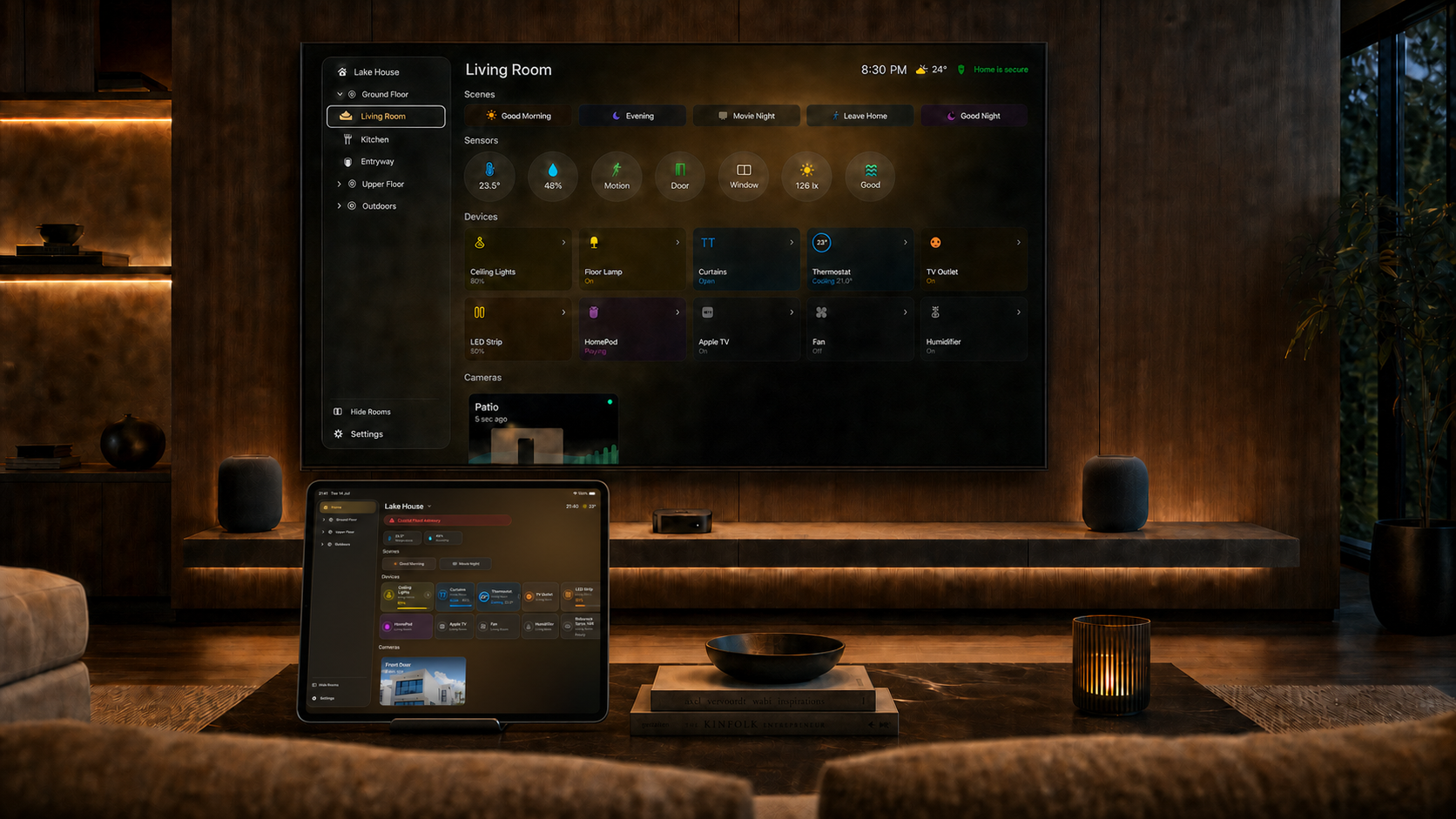
HomeDeck turns iPad and Apple TV into a calm, beautiful dashboard for your home. Control accessories, check cameras and weather, and let Ambient mode keep the most useful information visible.
Now on iPad. The same HomeDeck experience is made for touch, so your home is close at hand as well as on the big screen.

HomeDeck is available for iPad, Apple TV, or both together. Purchases are now available on the App Store. No subscription.
Everything you need to know before HomeDeck arrives.
Have an idea? Share it on Fider ↗HomeDeck is available in English, German, French, Japanese, Korean, and Russian. It follows the language selected for your device.
HomeDeck is built for iPad running iPadOS 26 or later and Apple TV running tvOS 26 or later. The Universal purchase unlocks both versions.
Yes. HomeDeck is a dashboard for the homes, rooms, accessories, scenes and compatible cameras you already use in Apple Home. Available controls depend on the HomeKit accessories and permissions in your home.
Apple applies additional protection to sensitive HomeKit accessories such as door locks and security systems on Apple TV. HomeDeck follows these platform safeguards, so those accessories are not shown as direct controls there. Use Apple Home or HomeDeck on iPad when you need to manage them.
You can use Siri and Shortcuts to run HomeKit scenes, turn supported accessories on or off, and open your rooms in HomeDeck. Commands use the same HomeKit data and permissions as the app.
HomeDeck Pro is a one-time, non-consumable purchase processed by Apple. Choose iPad, Apple TV, or Universal for both devices.
No. HomeDeck has no recurring subscription. Each Pro option is a one-time purchase.
HomeDeck is available on the App Store. Use the link above to view the listing and download the version for your device.
Yes. Public testing has ended. HomeDeck is now available through the App Store.
HomeKit data, compatible camera feeds, location, music and preferences stay on your devices and within Apple services. HomeDeck has no third-party advertising or analytics SDKs and does not track you across apps or websites.
Read the Privacy Policy